Your first day as a new hire
Your first day as a new hire on boardingon.ai: sign in, start onboarding, work your daily steps, upload proof, and watch your ramp progress climb.
Welcome aboard. This guide walks you through your first day on boardingon.ai — from signing in to finishing your first step.
Sign in and get oriented
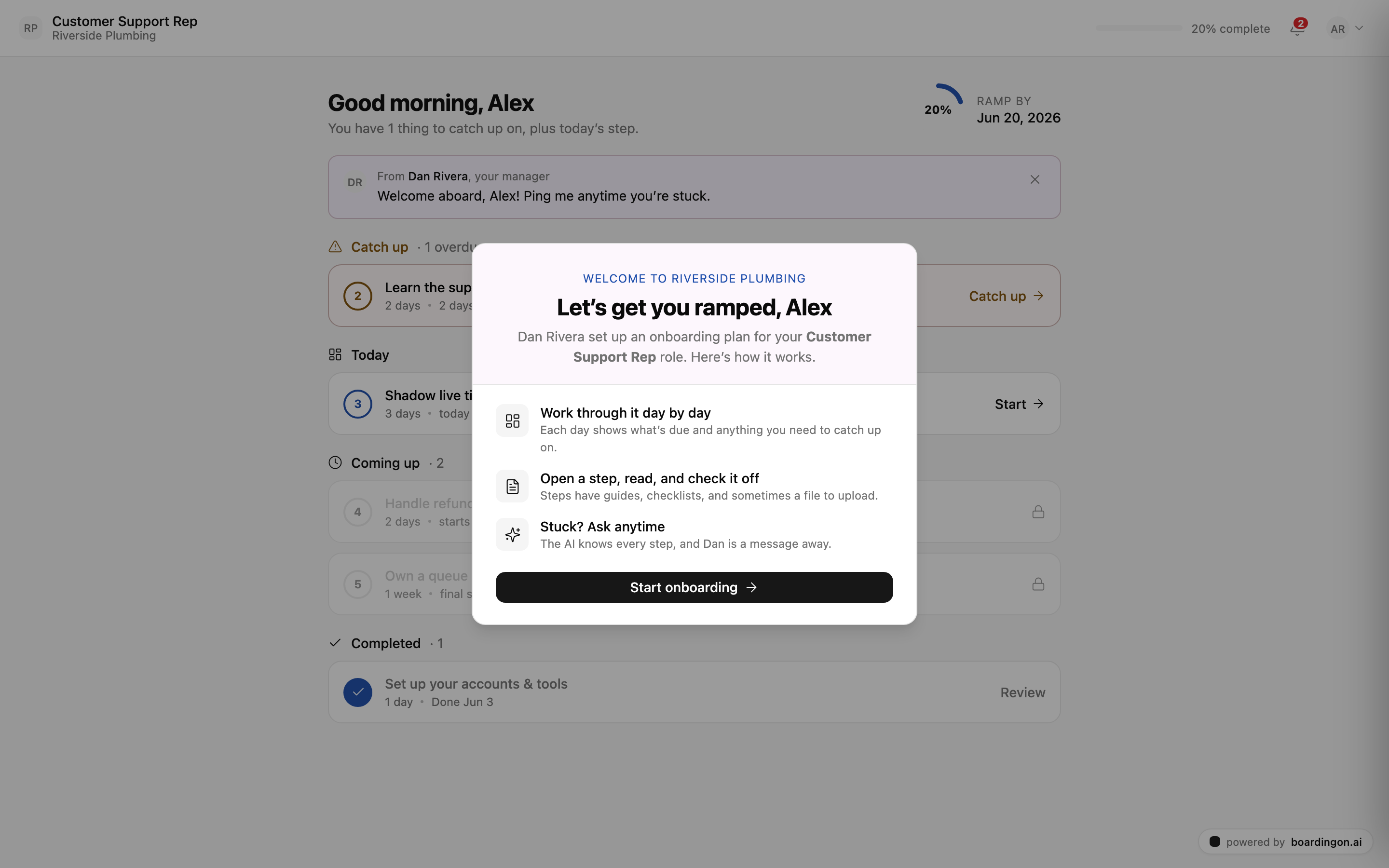
When you accept your invite and sign in, you'll land on your My Onboarding page. The very first time, a short welcome explains how the whole thing works: you work through your onboarding day by day, you open each step and read it before checking it off, and if you ever get stuck, the AI knows every step of your plan and your manager is only a message away.
Read the welcome, then click Start onboarding to begin.
Your daily view
Once you're in, My Onboarding becomes your home base. It greets you by name ("Good morning, Alex"), shows your progress as a ramp ring — for example, 20% — and a RAMP BY target date so you always know where you stand and what you're working toward. If your manager has left you a note, you'll see their message here too.
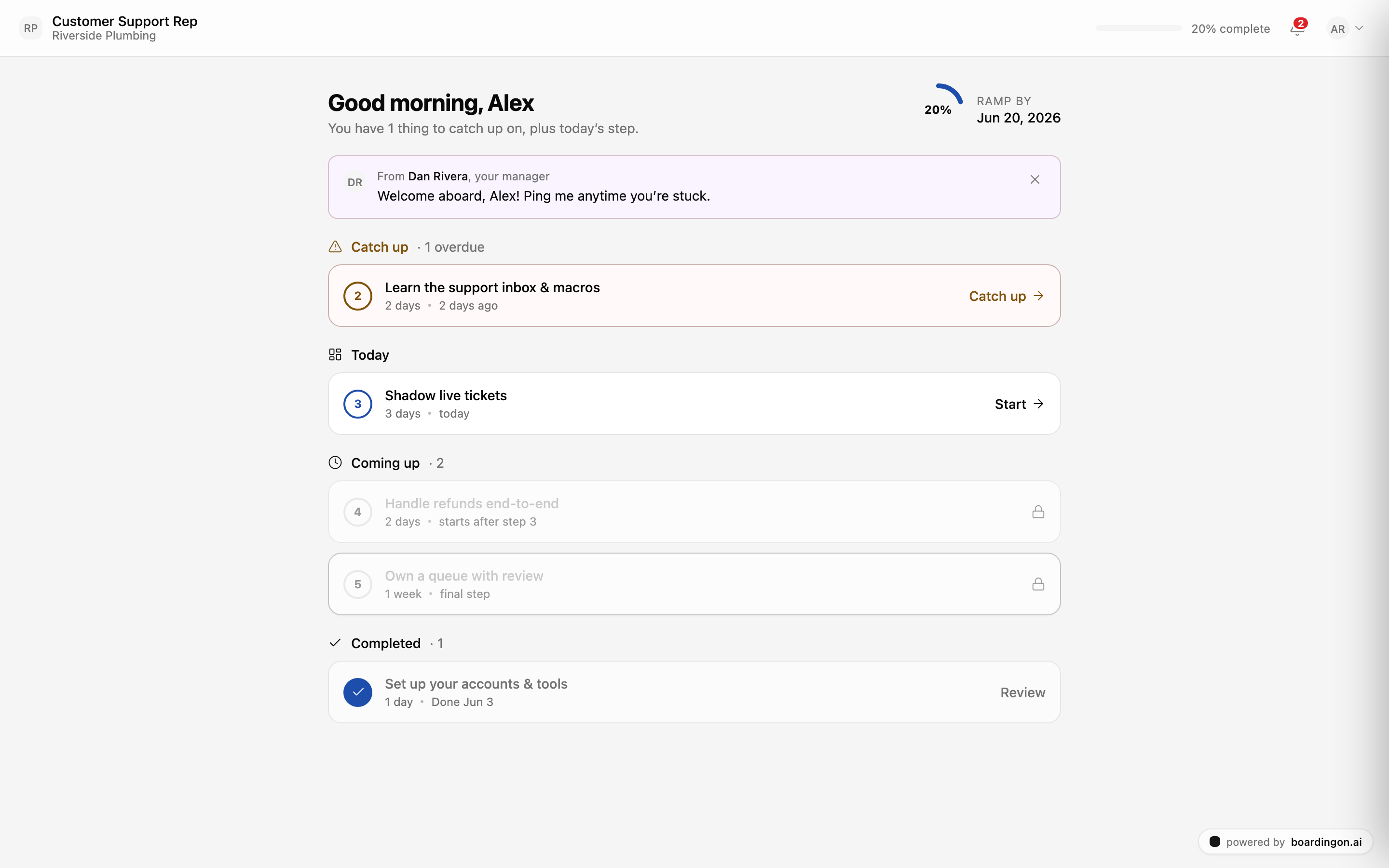
You don't have to figure out where to begin. The page is built to answer one question every day: what should I do now?
How your steps are organized
Your steps are grouped so nothing gets lost:
- Catch up — anything that's overdue. Start here first if you see it.
- Today — what's due now. This is your focus for the day.
- Coming up — steps that are locked until you finish the ones before them. They'll open automatically as you progress.
- Completed — everything you've already finished.
You'll always know what's next, because the page decides the order for you.
Work a step
Open today's step using its Start button (or Catch up if it's overdue). Inside, a step can include:
- A guide to read.
- A checklist to tick off as you go.
- Sometimes a file or link to upload as proof that you actually did the work.
When you've finished everything the step asks for, submit it to mark the step complete. As soon as you do, your ramp ring moves up. That's the loop: open, read, do, submit — and watch your progress climb.
Tip: You never have to guess what's next. The page always shows what to do today, and you can ask for help at any time — the AI knows your plan step by step, and your manager is a message away.
What happens after you submit
If a step included proof, your manager reviews it after you submit. One of two things happens:
- They approve it, and you move on.
- They ask for a redo, which reopens the step so you can try again.
A redo isn't a mark against you — it's just a chance to get it right. Make the fix, submit again, and keep going.
That's your whole first day: sign in, start onboarding, work today's step, and submit. Come back tomorrow and the page will already have your next step waiting.
What's next
Want the bigger picture of how everything fits together? Read How boardingon.ai works.