Invite a new hire
Learn how to invite a new hire into a published onboarding role in boardingon.ai — their plan and progress tracking start the moment they accept.
Inviting a hire is how you bring a new person into an onboarding plan. The moment they accept, their plan starts and their progress begins tracking.
Before you start
You invite a hire into a role, so you need at least one published role to invite them into. If you haven't built one yet, start with Create your first onboarding plan — only published roles show up when you send an invite.
Step 1 — Open People and start an invite
In the left nav, go to People. This is your roster of everyone you've brought into onboarding. In the top-right, click Invite a hire.
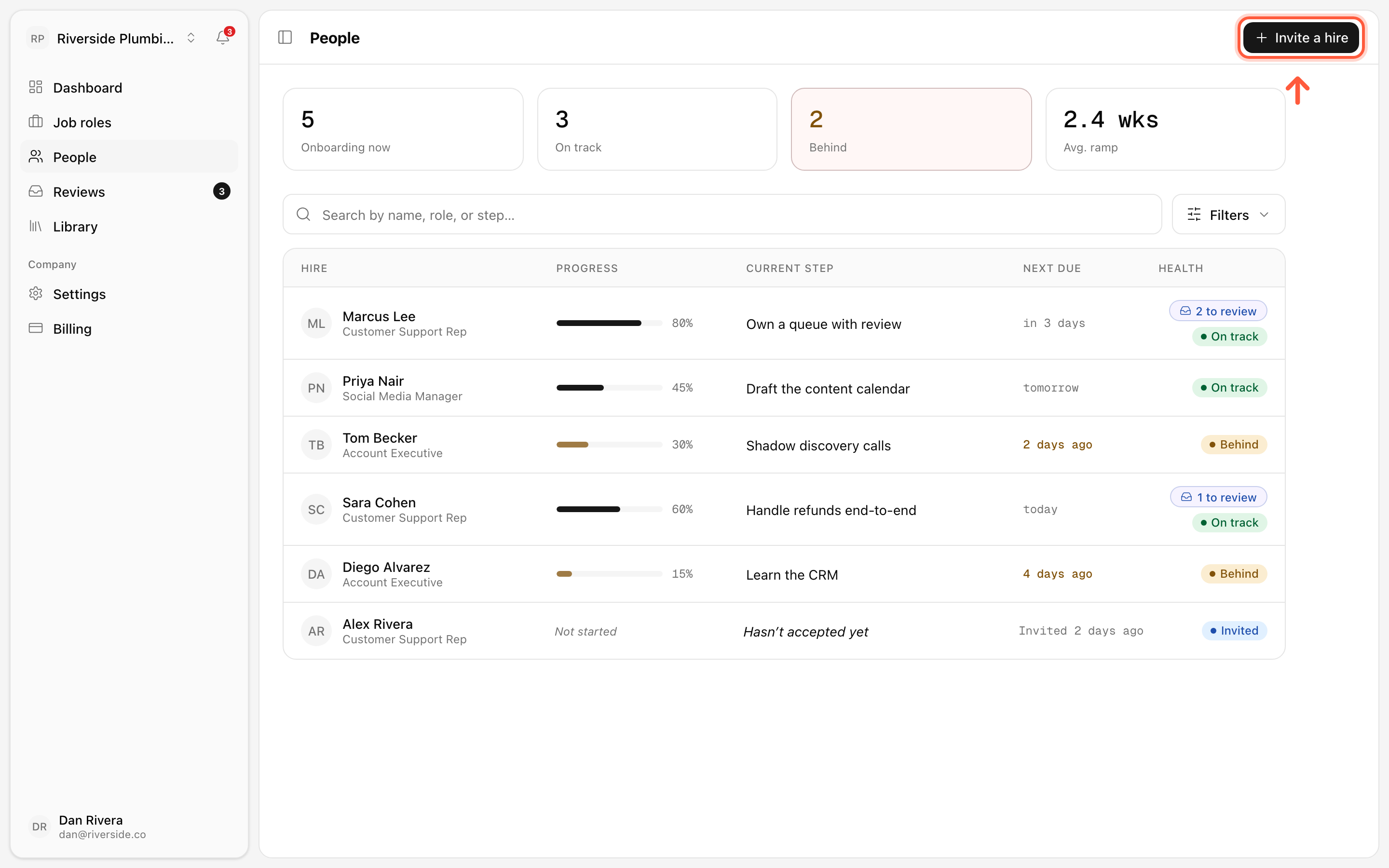
Step 2 — Enter their email and pick a role
A dialog opens. Fill in two things:
- Work email — the exact address your new hire will use to join.
- Onboard into — choose the role from the dropdown of your published roles (for example, Customer Support Rep).
Then click Send invite.
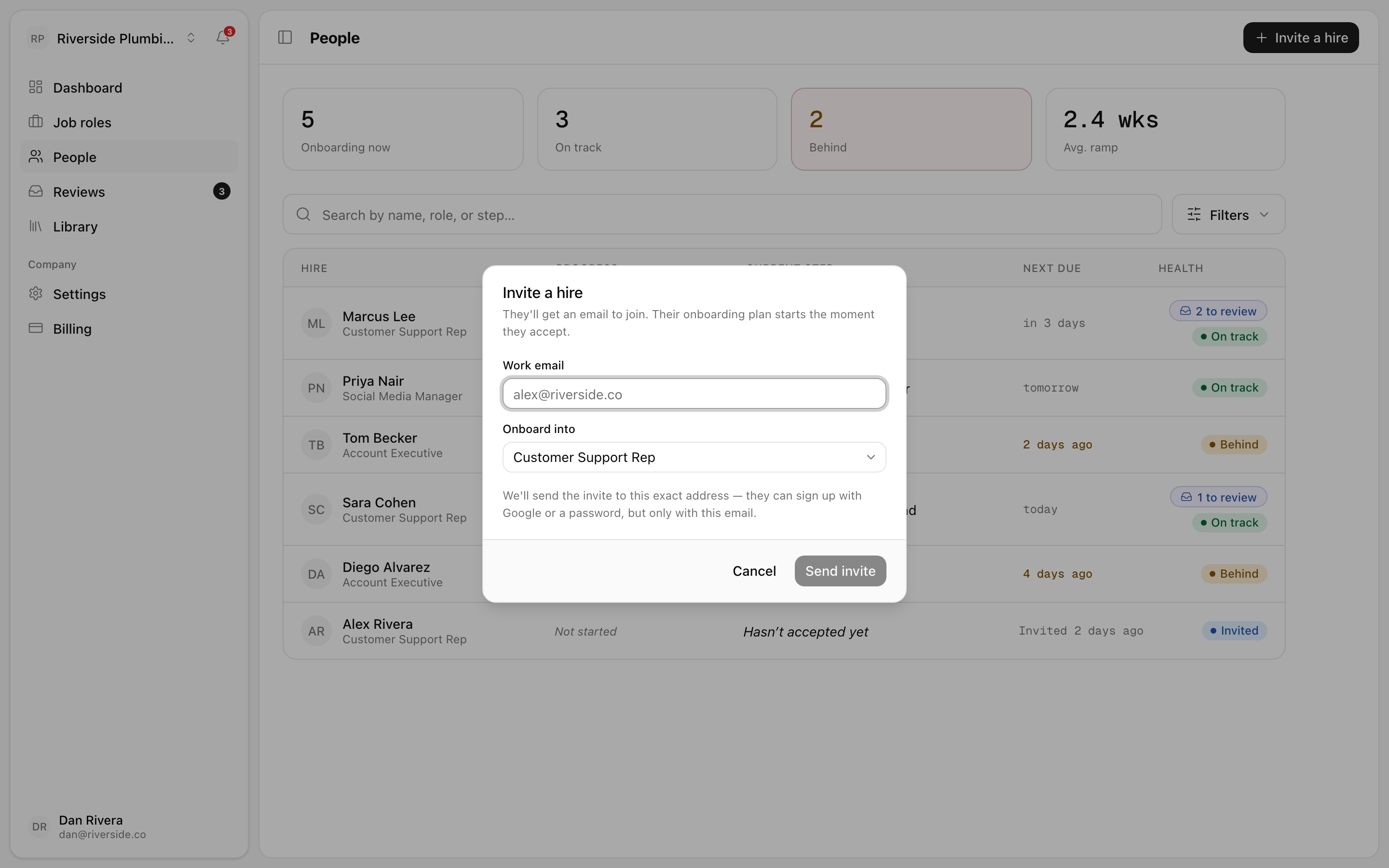
The dialog spells out what happens next: They'll get an email to join. Their onboarding plan starts the moment they accept. The invite is tied to the exact address you entered — your hire can sign up with Google or with a password, but only with that email. So double-check the address before you send it.
Tip: Match the role to the job, not the person. The role carries the plan — the steps, the checklist, the ramp timeline — so picking the right one is what sets your hire up with the correct path from day one.
What happens after you send
Your new hire lands back in your People roster right away, marked with the status Invited. Until they accept, you'll see a line like "Alex Rivera — Hasn't accepted yet — Invited 2 days ago" so you always know who's still pending.
Nothing starts tracking during this waiting period — that's by design. Onboarding begins the instant they accept the email invite. At that point their plan goes live, their first steps appear on their side, and their progress starts showing up for you.
If someone hasn't accepted after a while, the roster is where you'll spot it, so you can give them a nudge to check their inbox.
What's next
Once your hires accept and start working their plans, you'll want to keep an eye on how they're doing and sign off on what they submit.